Zene Studio

Free and open source

Make music, free.

Zene Studio is a complete studio for composing, arranging and mixing music on Windows, macOS and Linux. No registration, no activation, no paid tier.

Version 0.4.0-alpha . 0.5.0 beta in development

This is an alpha build: expect rough edges, and the builds are unsigned. Read what it cannot do yet before you rely on it.

Choose which view of the application to show
Zene Studio's Arrange view: a song laid out as coloured clips on a timeline of thirteen tracks, with the inspector on the left, the instrument browser on the right and the note editor open underneath.
Zene Studio's Mix view: a mixer with a master strip and ten channel strips, each with a fader, a pan knob, mute and solo, beside the effects chain of the selected channel.
Zene Studio's Edit view: the note editor showing a chord progression as bars on a piano grid with a velocity lane below it, and the track's instrument with its knobs in the device panel.

The new interface, captured from the development build with one of the bundled demo songs. It arrives with the next release; version 0.4.0-alpha still has the older look.

Free for good
No paid tier, no account, no activation.
15+ synthesizers
Built in, with SoundFont2 and GUS players.
4 plugin formats
VST2, VST3, CLAP and LADSPA.
6 builds
Windows, macOS and Linux, on Intel and ARM.

What is inside

Three views, one window, the whole track

Arrange, Mix and Edit are one keystroke apart, and each keeps its own panels where you left them.

Arrange

The whole song on one timeline

Instrument, sample, pattern and automation tracks sit together, under lanes for sections, markers and tempo. Select a clip and the inspector shows its start, its length and its notes.

  • Sections, markers and a tempo lane
  • Zoom to the song, the loop or the selection
  • An inspector for the track and clip you select
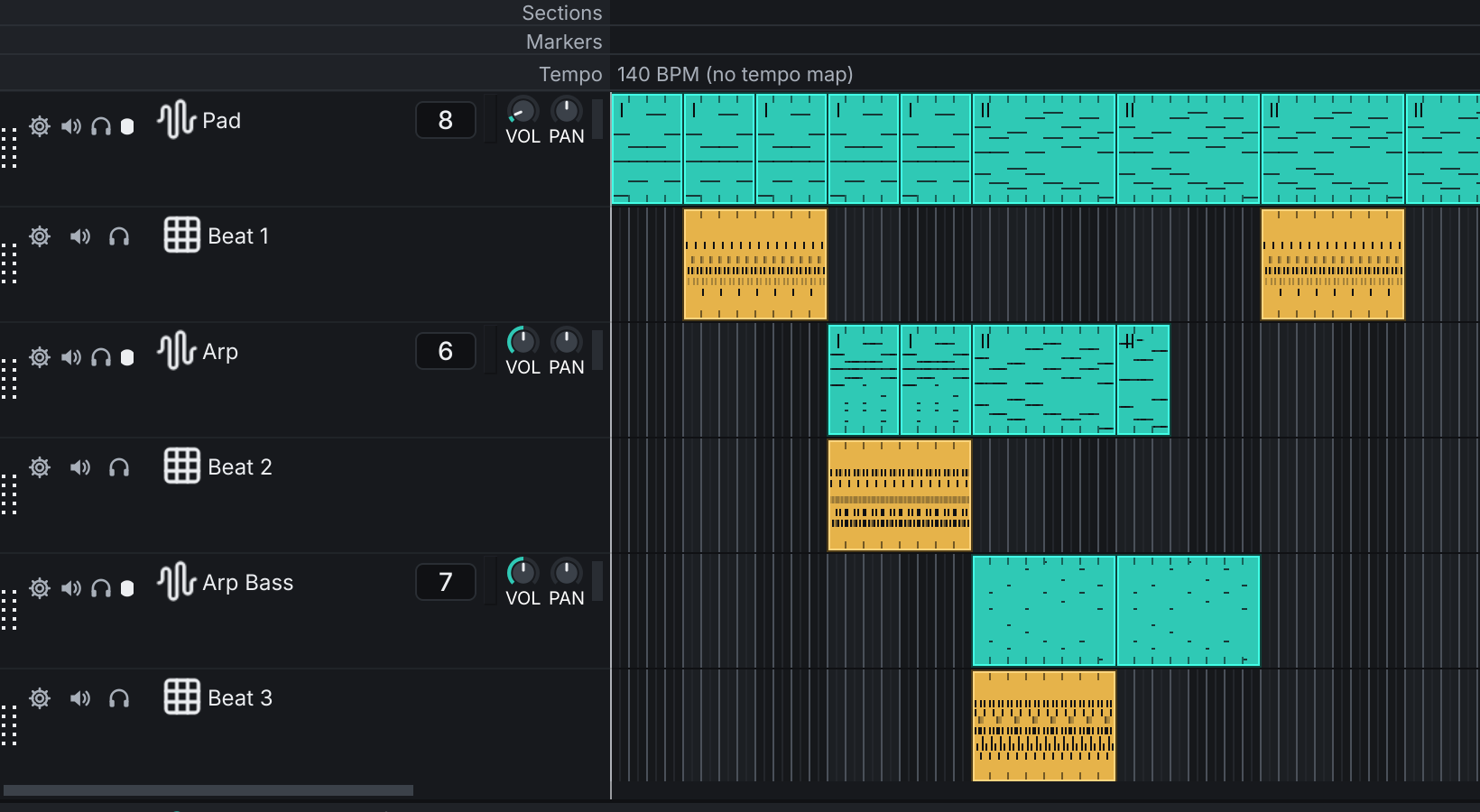
The arranger, in the manual

Close view of the arranger: six tracks named Pad, Beat 1, Arp, Beat 2, Arp Bass and Beat 3, with teal instrument clips and amber pattern clips on a bar grid.

Edit

Write notes beside the arrangement

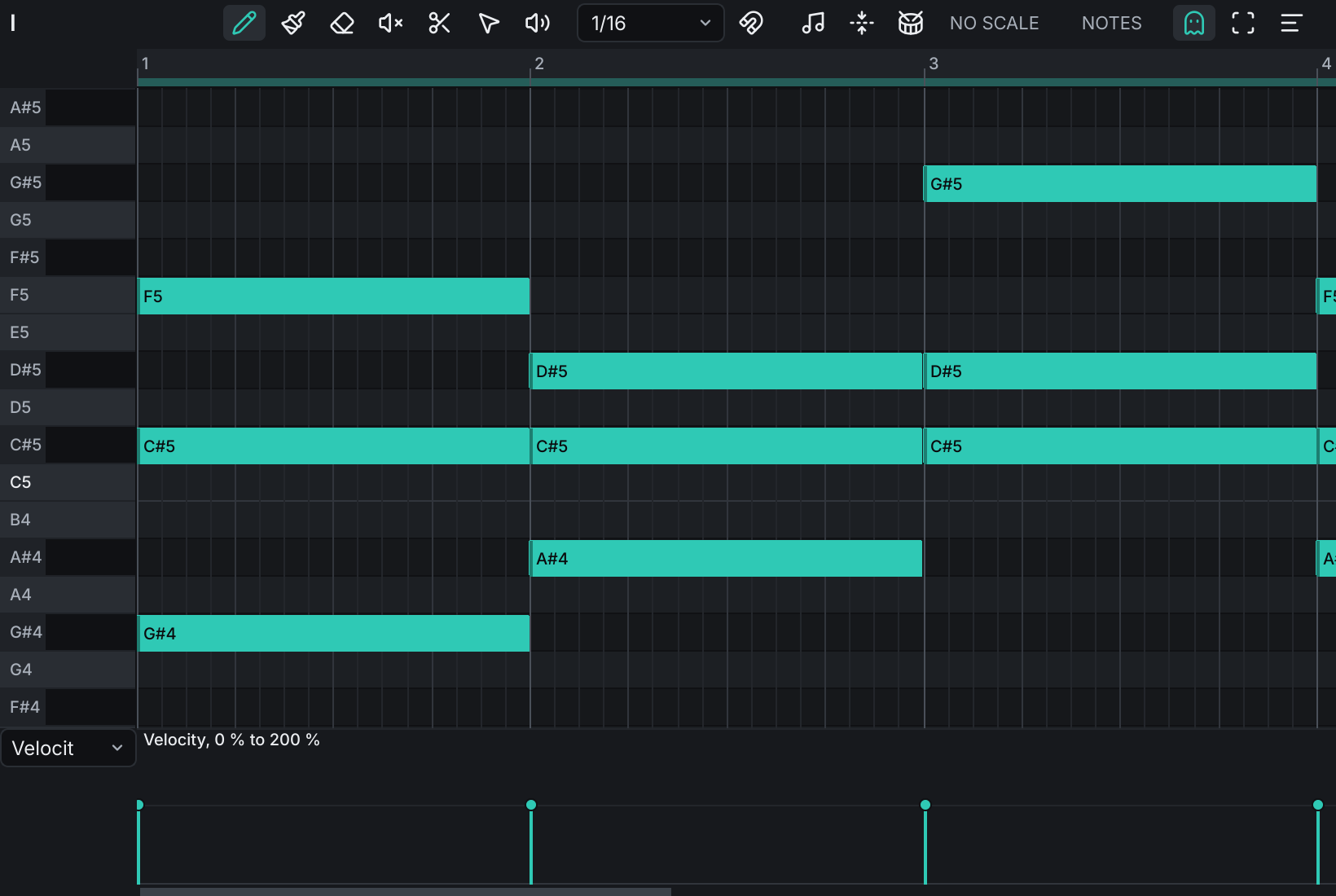
The note editor opens under the timeline or takes the whole window. Fold the keyboard to a scale, keep the track's other clips in view as ghost notes, and shape each note in the lane below.

  • Lanes for velocity, pan, chance, pitch, pressure and timbre
  • Draw, select, slice, erase and audition tools
  • A snap grid that goes down to a single tick

The note editor, in the manual

Close view of the note editor: a four-bar chord progression drawn as teal bars labelled with their note names, with a velocity lane underneath.

Mix

Routing you can see

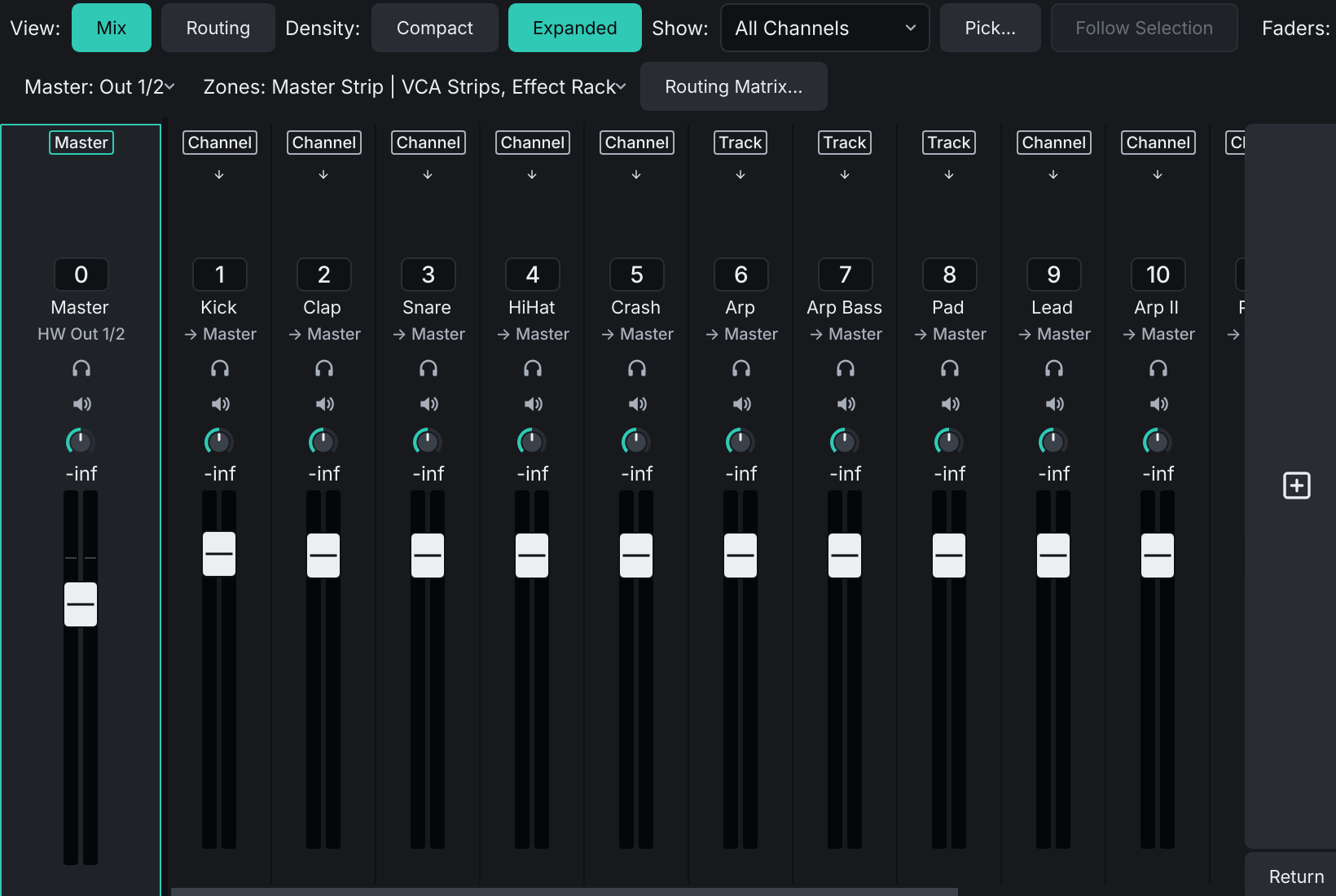
A master strip and a strip for every channel, with inserts before and after the fader, sends, sidechains and a routing matrix. There is no fixed number of channels.

  • Compact or expanded strips
  • The selected channel's effects chain alongside
  • Sends on faders, for building a headphone or effect mix

Mixer and routing, in the manual

Close view of the mixer: a master strip and ten numbered channel strips named Kick, Clap, Snare, HiHat, Crash, Arp, Arp Bass, Pad, Lead and Arp II, each with a fader and a pan knob.

Sound

Instruments before you install anything

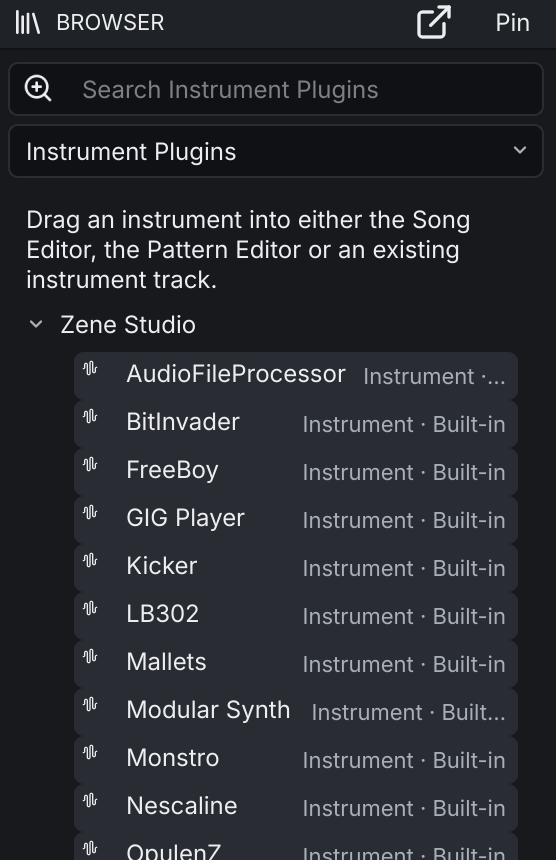
The browser lists what is built in: subtractive, FM and wavetable synthesizers, chip-tune voices, a bass line, drum and string models, and players for SoundFont, SFZ and GIG libraries. Drag one onto a track and play.

  • More than fifteen built-in synthesizers
  • A search field over the whole list
  • Your own VST2, VST3, CLAP and LADSPA plugins beside them

Plugins and what each build hosts

Close view of the browser panel: a searchable list of built-in instruments, starting with AudioFileProcessor, BitInvader, FreeBoy, GIG Player, Kicker and LB302.

See it move

From an empty window to a finished track

Until the film is made, the first project guide covers the same ground in ten minutes of reading.

Film to come

A short film of one track being written, arranged and mixed in Zene Studio.

Also in the box

The rest of the studio

Zene Studio is built on LMMS, the long-running open-source workstation, and keeps what it already did well. Every feature, and what works today

No price. No account. No catch.

Zene Studio has no ads and no paid tier, and it never will. Developing it costs money, and donations are what keep it going.

Open source
Licensed under the GPL-2.0-or-later. Every line is public.
Built on LMMS
Derived from LMMS, with credit and terms on the licence page.
Made in the open
Bug reports, documentation and code are all welcome: ways to help.

Showcase

Made with Zene Studio

This wall is waiting for its first tracks. If you finish something in Zene Studio, send it in.

Your track here

Cover art and a link to listen.

Your track here

Cover art and a link to listen.

Your track here

Cover art and a link to listen.

Start here

  1. Install it

    Per-platform install steps, unsigned-build warnings, and how to verify a download.

  2. Your first project

    A ten-minute walkthrough from an empty window to a saved, exported track.

  3. Read the limitations

    What 0.4.0-alpha cannot do yet, stated plainly before you install it.

  4. Get help

    Discussions, the issue tracker, and which one your question belongs in.

Devlog

Notes from development

All devlog posts

Ready when you are.

Version 0.4.0-alpha for Windows, macOS and Linux. Free, and yours to keep.

Download Zene Studio

Help keep Zene Studio free

Developing Zene Studio costs money.

There is no paid tier and no advertising, so donations are what keep it going. If it is useful to you, please give what you can.